Kindle Bluetooth
page turners
Turn pages without touching the screen. No jailbreak, nothing stuck on your Kindle — just pair it in Bluetooth settings.

Pick your remote
-
Mini Page Turner for Kindle
Regular price $11.00 USDRegular price -
Ergo Page Turner for Kindle & E‑Readers
Regular price $15.00 USDRegular price -
Keycap Page Turner for Kindle & E‑Readers
Regular price $15.00 USDRegular price

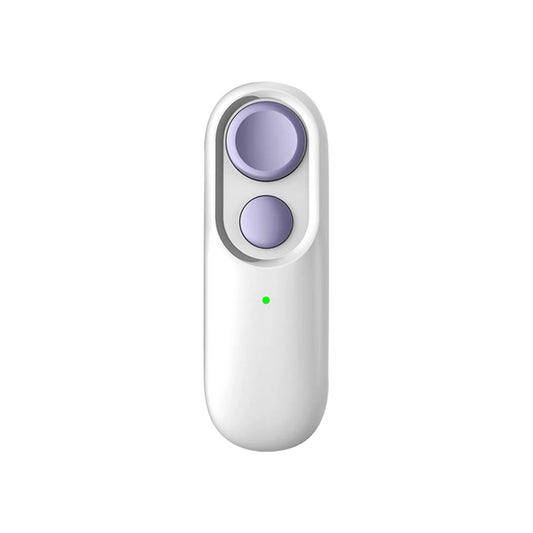

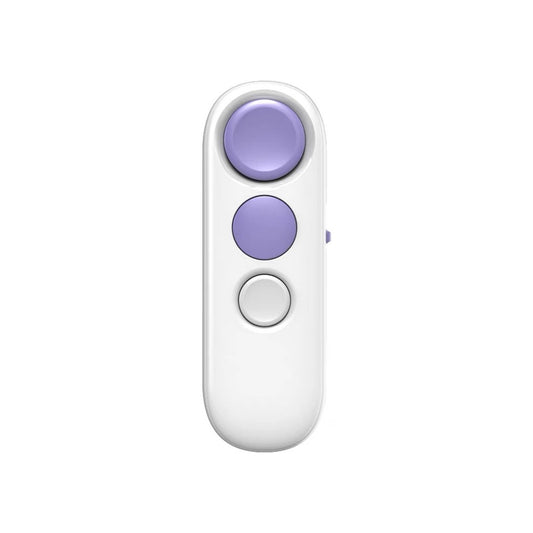

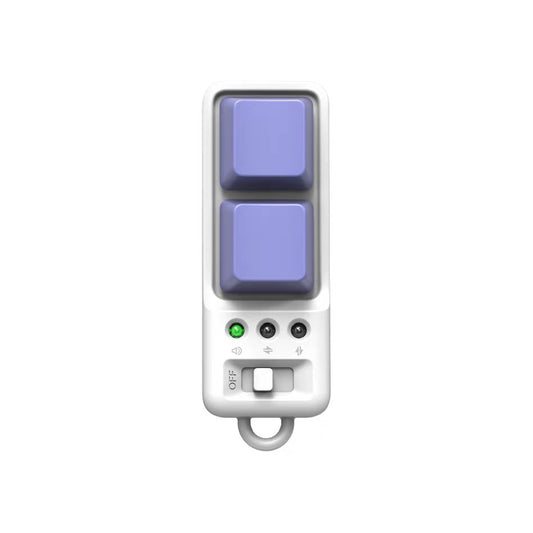
Compare the remotes
| Compare the remotes | Mini $11 | Keycap $15 | Ergo $15 |
|---|---|---|---|
| Works with | Kindle | Kindle, Android, Xteink | Kindle, Android, Xteink |
| On Kindle | Page turn, sleep | Page turn, sleep | Page turn, sleep, brightness |
| Buttons | 2 | 2 keycaps | 3 |
| Feel | Small and simple | Clicky, swappable keycaps, light effects | Ergonomic, quiet buttons |
| Size | — | 72 × 21 × 27 mm | 85 × 29 × 21 mm |
| Weight | 21 g | 22 g | 23 g |
| Material | — | ABS | ABS |
| Range | — | About 10 m | About 10 m |
| Battery | 130 mAh, about 15–20 days | 130 mAh, about 15 days | 130 mAh, about 15 days |
| Charging | USB-C | USB-C | USB-C |
| In the box | — | Remote, charging cable, manual, metal clip | Remote, charging cable, manual, lanyard |
| Colors | 6 | 6 | 5 |
Sizes and weights are hand-measured by the factory and may vary by 1–3 mm and 1–3 g.
What is a Bluetooth page turner?
A small remote that turns your Kindle's pages over Bluetooth, the same way Amazon's own remote does.
- Built into your Kindle Kindles released in 2024 or later can pair with a Bluetooth page-turner remote right from Settings. No jailbreak, no apps.
- Nothing on your screen Older clip-on remotes press the screen with a little arm. A Bluetooth remote talks to your Kindle directly, so nothing covers or scratches the display.
- One hand, any position Lying down, under a blanket, on a treadmill or with the Kindle on a stand — turn pages without reaching for the screen.
- Sleep with one press Hold a button to put your Kindle to sleep when you're done reading.
Which Kindles work?
1. What do you read on?
2. Which Kindle?
Find your model: on your Kindle, open Settings → Device Options → Device Info. Kindles released in 2024 or later work, including Kindle (2024), Paperwhite (12th generation), Colorsoft, Scribe (2024) and the 2026 Kindles.
✕ Older Kindles aren't supported
Bluetooth page turning needs a Kindle released in 2024 or later. A software update won't add it to older models.
✓ Works with your Kindle
Keep your Kindle's software up to date (5.20.1 or later).


✓ Works with Android e-readers
Turn on volume-key page turning in your reading app. Pages turn left and right only.
✓ Works with Android phones and tablets
Works in reading apps that turn pages with the volume keys. Left and right only.
✓ Works with Xteink readers
Reconnect from Bluetooth settings after a restart. Readers on third-party firmware aren't supported.
△ Not tested yet
We haven't tested iPhone or iPad, so we can't recommend them yet.
△ Not tested yet
We haven't tested Kobo readers, so we can't recommend them yet.
Bluetooth page turning works on Kindles released in 2024 or later — the same rule Amazon gives for its own remote.
How to set it up
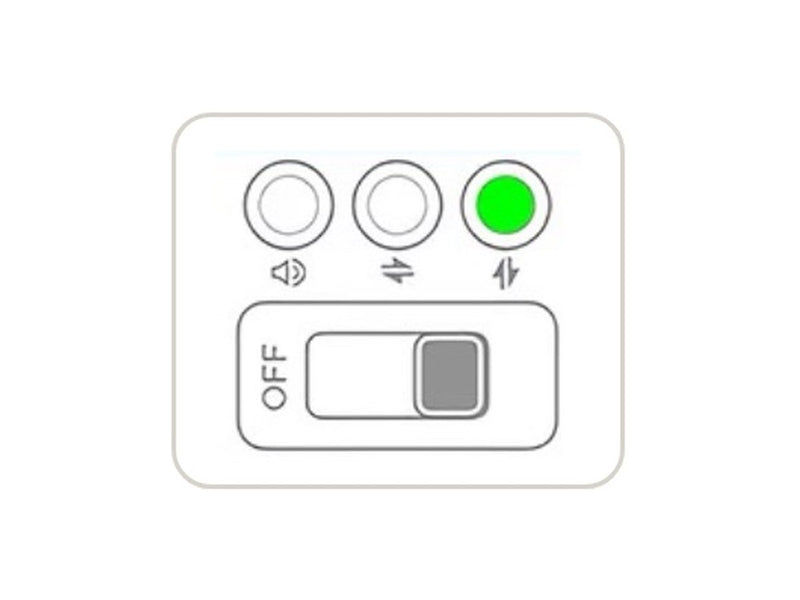 1Turn it on in Kindle mode Keycap and Ergo: slide the switch until the Kindle light is on. Mini: hold the big button until the light starts blinking.
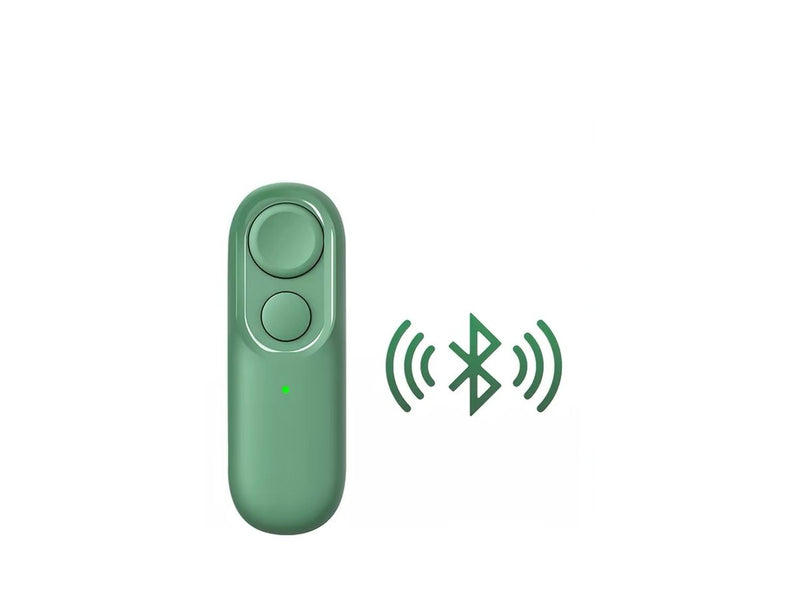 2Pair from your Kindle On your Kindle, open Settings → Bluetooth and select the remote.
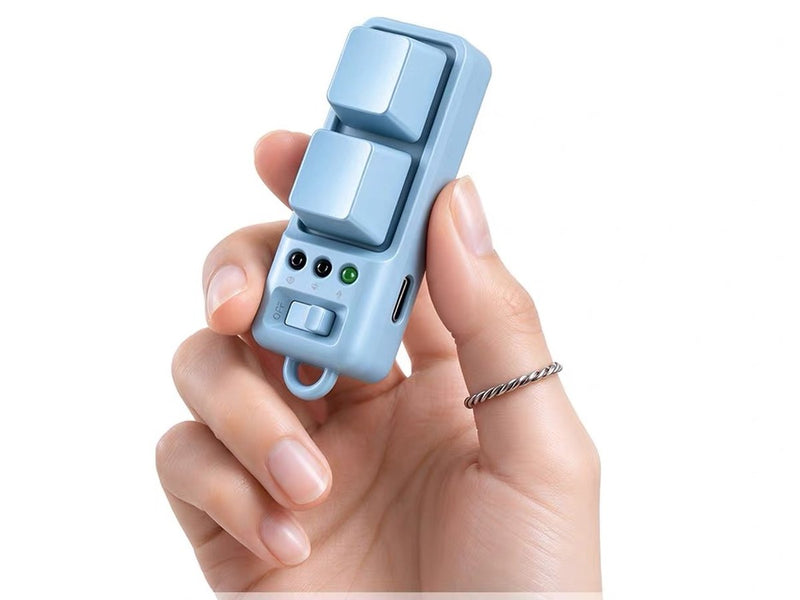 3Turn pages Press to turn forward or back, and put your Kindle to sleep when you're done.
Needs a Kindle released in 2024 or later, running software 5.20.1 or later.
Watch it pair
A short walkthrough of pairing a remote with a Kindle and turning pages. Our own English video is coming soon.
Beyond Kindle
The Keycap and Ergo have three modes on one switch, so the same remote can turn pages on your Kindle, an Android device and an Xteink reader.
- Android phones, tablets and e-readers Keycap and Ergo: slide to Android mode and turn on volume-key page turning in your reading app. Works with Android e-readers such as BOOX. Pages turn left and right only.
- Xteink readers Keycap and Ergo: slide to Xteink mode. Reconnect from Bluetooth settings after a restart. Readers on third-party firmware aren't supported.
- Not tested We haven't tested Kobo, iPhone or iPad, so we can't recommend them yet. The Mini works with Kindle only.
How do they compare?
| How do they compare? | Our remotes | Amazon Kindle Click | Clip-on tappers |
|---|---|---|---|
| Price | $11–$15 | $34.99 | Varies |
| How it turns pages | Bluetooth | Bluetooth | A small arm taps the screen |
| Kindles | Released in 2024 or later | Released in 2024 or later | Most touchscreen Kindles |
| Anything on the screen | No | No | Yes |
| Brightness control | Ergo | Not listed | No |
| Other devices | Android and Xteink (Keycap, Ergo) | Not listed | — |
Kindle Click details are from Amazon's announcement (October 2026). HQB isn't affiliated with Amazon.
Troubleshooting
- It won't pair Check the remote is on and in Kindle mode, and that your Kindle was released in 2024 or later with up-to-date software. If your Kindle has lots of Bluetooth devices saved, remove the ones you don't use and try again.
- Moving it to another device Each mode connects to one device at a time. Turn off Bluetooth on the device it's connected to, then pair it with the new one.
- The Mini turned itself off It switches off after 15 minutes without use to save battery. Hold the big button to turn it back on.
- Xteink doesn't reconnect Xteink readers don't reconnect automatically. Reconnect from Bluetooth settings after a restart.
- What the lights mean Red means it's time to charge. While charging, the light turns steady green when it's full. All three charge over USB-C.
FAQ
Which Kindles does it work with?
Kindles released in 2024 or later with Bluetooth, running software 5.20.1 or later. If your software is older, a free update will add support.
Which model should I choose?
Mini ($11) is the simplest, Kindle only. Keycap and Ergo ($15) also work with Android devices, and only Ergo can adjust your Kindle's brightness.
Do I need to jailbreak my Kindle?
No. Kindles released in 2024 or later support Bluetooth page turners out of the box. Just pair from Settings.
Does it work with older Kindles?
No. Bluetooth page turning needs a Kindle released in 2024 or later. Older Kindles don't support it, even with a software update.
How do I pair it?
On your Kindle, open Settings → Bluetooth and select the remote. No apps or jailbreak needed. On the Keycap and Ergo, slide the switch to Kindle mode first.
Which one adjusts brightness?
Only the Ergo. Hold its top button to turn your Kindle's brightness up and the middle button to turn it down.
How long does the battery last?
About 15 days (Keycap, Ergo) to 15–20 days (Mini) at 2 hours of reading a day. All three charge over USB-C.
Can I use one remote with my Kindle and my phone?
The Keycap and Ergo can: each has separate Kindle, Android and Xteink modes on one switch. The Mini is for Kindle only.
Is this made by Amazon?
No. It's an independent accessory designed to work with Kindle.
How much is shipping and how long does it take?
Shipping is a flat $7 to most of the United States and Australia. Remote areas (Alaska, Hawaii, US territories and military addresses, Western Australia and the Northern Territory) are $15. US orders usually arrive in 2–3 weeks, Australian orders in about 2 weeks. See our shipping policy.
What if my remote is faulty?
Our page turners come with a 12-month guarantee. If yours develops a defect, email us your order number and a photo or short video, and we'll make it right. We don't accept change-of-mind returns. See our refund policy.